Tell in detail
Real reports instead of short notes, with photos and a map of your trip.
Write in as much detail as your trip deserves, add photos, and map your route. Family and friends can easily read along in their browser, no app required.
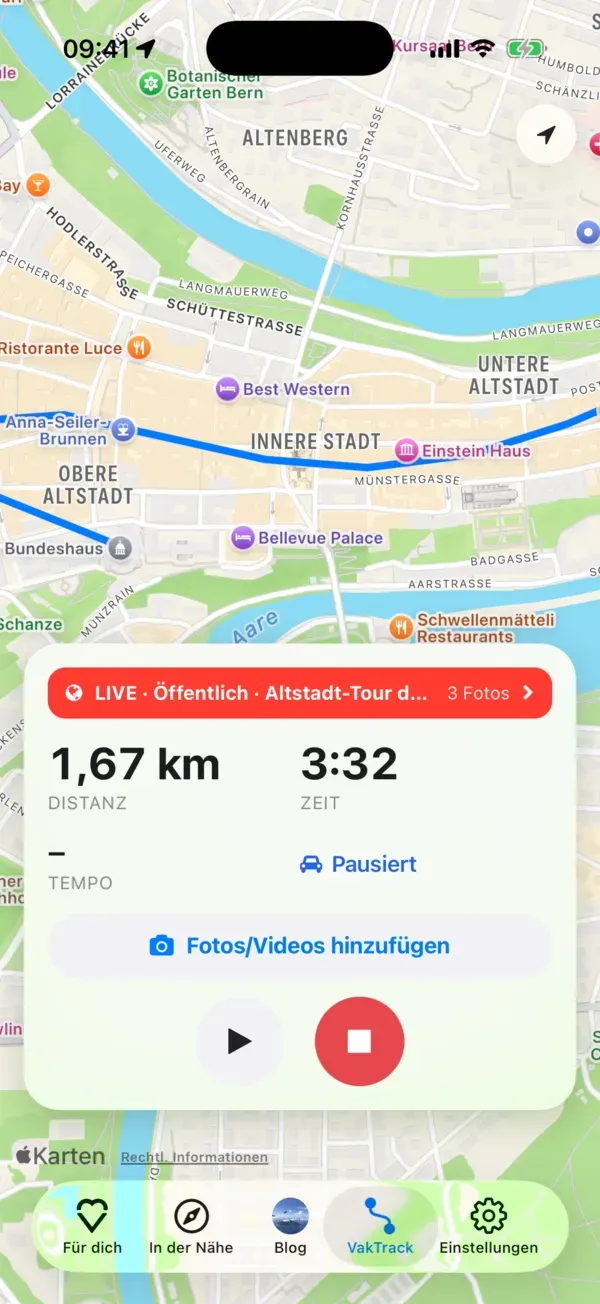
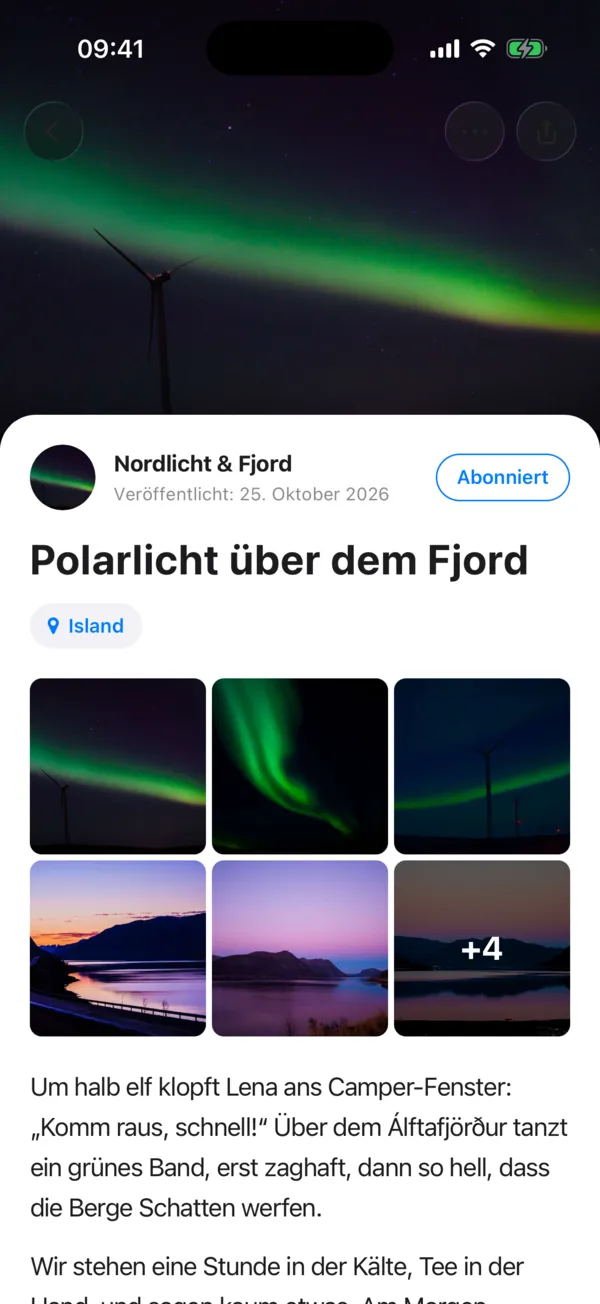
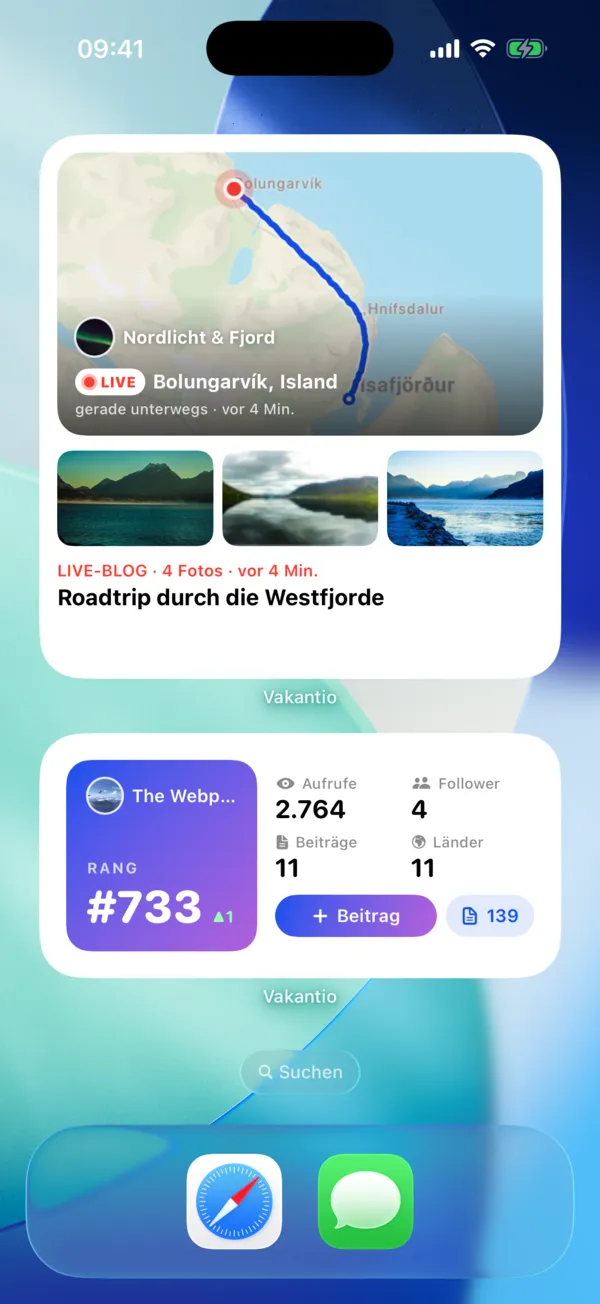
Three steps, and your journey has its designated place.
Download Vakantio to your iPhone or Android phone and choose a name. Your diary will get its own address on vakantio.de.
Write down what you experienced and add photos and the location. If you don't have a network connection, the app will download everything as soon as you're back online.
Send the link to family and friends, or save a post as a draft for yourself only. You decide who can see each post.
Everything you need for on the go, and in the end, it all becomes your story.
Real reports instead of short notes, with photos and a map of your trip.
VakTrack also works when the screen is locked. The route remains private until you add it to a post.
Every photo taken on the road is included in a post with the location and time.
Your blog and the blogs you follow, on the home screen of iPhone and Android.
Posts and photos will be automatically reloaded as soon as you are back online.
Your diary as a printed photo book, your pictures as real postcards.
With Vakantio , you decide who can read your blog. It's important to distinguish between posts for followers and a truly private blog.
Drafts remain private until you publish them. You can also run a live blog for your own personal use only.
Everyone with the link can read in their browser, without an app and without an account.
The post is not publicly visible. However, with a public blog, anyone with an account can follow you, so it's not truly private.
The entire blog is only visible to followers, and you personally approve each new request. Your followers need a free account, but no app is required.
No app is right for everyone. These are the most well-known and what they stand for.
If you want to tell your story in detail: blog with its own address, which everyone can read via a link, plus route recording that you start yourself, export and photo book.
When the route is the focus: it records automatically, even offline, helps with travel planning and becomes a bound travel book.
If you want everything in one place: automatic trip tracker, planning with travel documents, flyover videos and a hardcover travel book.
If you primarily want photo albums: it organizes many photos by time and place, works offline and quickly becomes a printed photo book.
If you mainly write for yourself: a general diary, not just for travel, with end-to-end encryption and export options.
Vakantio and Polarsteps in detail
As of November 2026, subject to change without notice. Information on other apps is taken from their app store descriptions. All trademarks belong to their respective owners.
You can start for free with no time limit. With Explorer, you get more when you need it.
It depends on how you document your trip. For automatic route tracking, Polarsteps and FindPenguins are excellent. If you really want to write and share your journey as your own blog, Vakantio is a good fit: detailed reports, photos, maps, and route recordings that your readers can view without an app.
Download a travel journal app like Vakantio , create your journal, and record your experiences on the go, including photos and locations. The app will automatically download everything later when you're offline. Finally, you decide who can see your entries.
Yes. The app, diary, route recording, and up to 20 photos per post are free and without time limits. A private blog, videos, unlimited photos, and co-authors are included with the Explorer plan.
With Vakantio Explorer plan, you can run a private blog: only followers you've personally approved can read it. You can also set individual posts to "Followers Only" for free, but with a public blog, anyone with an account can follow you.
No. Your diary is a regular website; a link is all it takes. Public posts can be read without an account. Posts for followers only and private blogs require a free account, but no app.
Yes, you can write and select photos even without a network connection. The app will download everything as soon as you're back online.
Yes, you can export your entire diary, including all entries and pictures, as an archive. Your memories remain yours.
Yes. Vakantio also works in the browser on mobile phones, tablets, and laptops, using the same account and the same diary. Route recording and widgets are only available in the app.
Free for iPhone and Android or directly in the browser.